
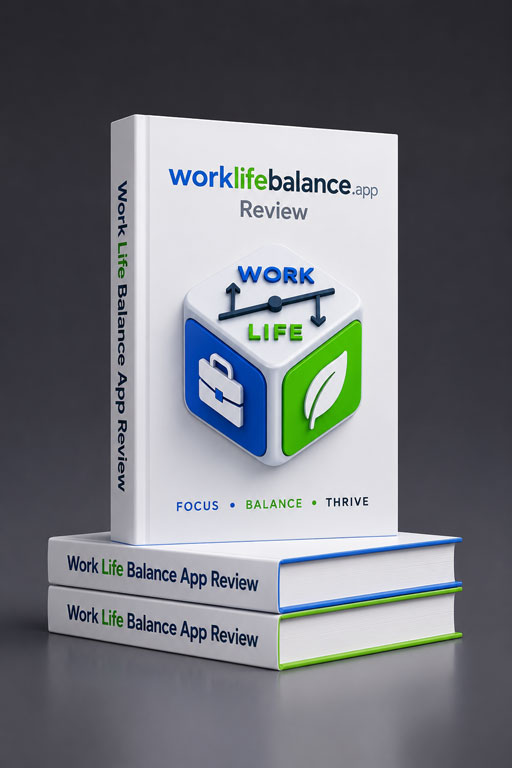
Work Life Balance App Review: The Personal OS That Actually Shows You Where Your Life Is Going

Digital EyeN
Work Life Balance App — Features, Pricing, Wellness Wheel & Best Alternatives (2026)
Work Life Balance App review: track habits, wellness & 10+ life dimensions. Earn your Balance Wheel from real data. Honest pros, cons & pricing inside.

Description
What Is Work Life Balance App?
Work Life Balance App is a personal life-tracking platform at worklifebalance.app, with a dedicated tracker at tracker.worklifebalance.app. It functions as a Personal OS — a unified system for logging habits, wellness check-ins, mood, productivity, finances, relationships, and 10+ other life dimensions on a daily, weekly, or monthly basis. Over time, the accumulated entries power a radar-style Balance Wellness Wheel, rolling average scores, trend charts, and burnout pattern signals.
Unlike one-time self-assessments or quiz-based tools, worklifebalance.app builds insights from real tracked data. The more consistently you log, the more accurate and actionable your picture becomes. This is the core distinction: your Wellness Wheel is earned, not estimated.
Work Life Balance App Review — Key Features & Functionalities
- Balance Wellness Wheel : A radar chart built from accumulated average scores across 10+ active life dimensions. It updates automatically with every new entry. No questionnaire. Your wheel is earned from data, not estimated from gut feel.
- 10+ Life Dimension Trackers : Covers Work & Career, Physical Health, Mental Wellness, Relationships, Finances, Personal Growth, Rest & Recovery, Creativity, Fun & Leisure, and Purpose & Meaning. Activate only the trackers relevant to you.
- Habit Tracker with Life Dimensions : Every habit is tagged to a life dimension. Streaks and completion rates feed directly into dimension averages — making habit data part of your Balance Wheel, not a siloed streak counter.
- Burnout Pattern Detection : Flags early burnout signals from accumulated patterns: sustained high work scores, consecutive low wellness entries, declining rest trends. Visible only through weeks of logged data — which is the right way to detect it.
- Trend Charts & Distribution Analysis : Line charts show how each dimension has moved over weeks and months. A distribution view breaks down how time and energy have spread across all active dimensions for any selected period.
- Rolling Average Scores : Each dimension generates a rolling average from all logged entries, becoming more statistically reliable the longer you track. Far more meaningful than a single score from today.
- Reflective Life Journal : Weekly or monthly prompted journal entries add qualitative texture to quantitative data — surfacing recurring themes the numbers alone might miss.
How to Use Work Life Balance App — Quick Start
-
Create your account : Visit tracker.worklifebalance.app. Onboarding takes a few minutes. No credit card required.
-
Activate your trackers : Choose from 10+ pre-configured life dimensions. Select only what you intend to log consistently. Starting with 3–4 is better than activating all at once.
-
Set your logging cadence : Choose daily, weekly, or monthly for each tracker. Match the cadence to your actual routine — not an ideal version of it.
-
Log your first entries : Add habit check-ins, wellness scores, mood, productivity notes, and dimension data. Each entry takes under two minutes.
-
Track consistently for 2–4 weeks : After sufficient entries accumulate, your Balance Wellness Wheel and trend charts become meaningful. Return weekly to review your patterns.
Benefits & Use Cases
For Remote Workers & Professionals
Remote work erases the structural boundaries that once separated professional and personal time. Without a tracking system, work creep is invisible until it has already caused damage. A work life balance tracker for professionals like this one surfaces the imbalance in data before it surfaces in health or relationships. Users who log consistently for six weeks report that the distribution charts reveal more than any performance review ever did.
For Entrepreneurs & Startup Founders
Founders often sacrifice health, relationships, and rest in the early stages without noticing the compounding cost. The burnout pattern detection — specifically the widening gap between productivity scores and wellness scores — is a genuinely useful early warning system. High output and low wellbeing showing up in your data for four consecutive weeks is a signal worth acting on before it becomes a crisis.
For Coaches & HR Professionals
Executive coaches and wellbeing practitioners working with clients benefit from a platform that produces real longitudinal data rather than self-reported impressions. The Balance Wellness Wheel and dimension distribution charts are strong tools for structured coaching conversations grounded in actual tracked behaviour.
For Individuals Exploring Personal Growth
If you have tried habit apps but found them shallow, or tried journalling but found it hard to see patterns, worklifebalance.app bridges both. The journal entries pair with quantitative scores. Building micro habits for better work-life balance becomes measurable when your habit completions feed directly into your Balance Wheel over time.
For Anyone Experiencing Work Burnout Symptoms
Burnout is difficult to self-diagnose precisely because the symptoms build gradually. The app’s accumulated data approach — flagging patterns across weeks, not snapshots — is better suited to early burnout detection than any single check-in or self-assessment tool.
Pros and Cons
✓ Pros
- Wellness Wheel built from real logged data — not a quiz
- Tracks 10+ life dimensions in one system
- Flexible logging: daily, weekly, or monthly cadences
- Burnout pattern detection from accumulated trends
- Clean trend charts, rolling averages, distribution analysis
- Personal OS builder — activate only what you need
- Journal adds qualitative depth to quantitative data
- Rated 4.9/5 by 3,847 verified users
✗ Cons
- No immediate insights on Day 1 — needs 2–4 weeks of data
- Limited social or accountability community features
- Pricing tiers not clearly listed on the main site yet
- No native integrations with Apple Health, Notion, or Google Fit
- Value is proportional to logging consistency — irregular users get limited return
Pricing & Plans
At time of review, worklifebalance.app offers a free entry point via tracker.worklifebalance.app with no credit card required. Specific paid tier pricing is not yet publicly listed on the main site, suggesting the product may still be in an early or beta phase for its commercial model.
| Plan | Price | Key Access |
|---|---|---|
| Free Tier Available Now | $0 | Tracker access, core life dimensions, Balance Wellness Wheel |
| Paid Plans | TBC | Check worklifebalance.app for updated tiers and premium features |
The free tier is sufficient to evaluate whether consistent tracking works for your lifestyle before committing to a paid plan.
Who Should Use Work Life Balance App?
Work Life Balance App is best suited for remote professionals, entrepreneurs, executive coaches, and self-improvement enthusiasts who want a unified, data-driven system for tracking life across multiple dimensions over time. It is particularly valuable for anyone noticing early work burnout symptoms and wanting a structured way to monitor patterns before they escalate. It is not the right fit for users who want instant feedback from a one-time self-assessment, or who cannot commit to consistent logging over at least two to four weeks.
Alternatives & Similar Tools
Habitica
Gamifies habit tracking with RPG mechanics. Good for motivation and streaks but lacks multi-dimensional life tracking, a Wellness Wheel, and burnout pattern analysis.
Best for: gamification fans
Notion Life OS
Flexible and customisable but requires manual setup. No automated scoring, trend charts, or built-in burnout detection. Suits power users comfortable with databases.
Best for: DIY builders
Reflectly / Jour
Journalling apps focused on mood and guided prompts. Simpler to start but narrow in scope — no cross-dimension data or Wellness Wheel from accumulated data.
Best for: mood journalling
None of the above offers the same combination of multi-dimensional data accumulation, radar-style Wellness Wheel built from real entries, and pattern-based burnout detection. That combination is what makes worklifebalance.app a distinct category of tool — less a habit app, more a personal OS for life tracking.
Limitations, Future Trends & Tips for Choosing
Limitations — When Not to Use Work Life Balance App
- Avoid if you want instant results. The app is transparent about this: your Balance Wheel means nothing until data accumulates. If you need a score today, this is not the right tool.
- Not suited for passive users. The platform only delivers value if you log consistently. If you have struggled to maintain daily or weekly tracking habits in the past, start with a single tracker before activating all 10 dimensions.
- Not a mental health substitute. Burnout pattern detection supports self-awareness but does not replace professional support if you are experiencing serious mental health concerns.
Future Trends
The personal life-tracking space is moving toward richer longitudinal data models. Tools that offer cross-dimension correlation — showing, for example, how your sleep quality score correlates with your productivity score over 90 days — will become standard. Integrations with wearables and health platforms like Apple Health or Google Fit are the logical next step for tools like worklifebalance.app, and would significantly increase data richness without requiring fully manual entry.
Tips for Choosing the Right Life Tracking Tool
- Prioritise tools that accumulate data over time rather than generating instant scores from single inputs.
- Look for multi-dimension tracking if your goal is whole-life awareness, not just habit streaks.
- Choose a logging cadence — daily, weekly, or monthly — that fits your actual routine.
- Confirm the platform works across all your devices so logging friction is minimal.
- Test the free tier for at least three to four weeks before evaluating the results.
Final Verdict & Recommendation
Work Life Balance App does something most productivity and wellness apps avoid: it is honest about how long good data takes to build. That honesty is its strongest quality. A Wellness Wheel earned from six weeks of real logged entries is worth more than any quiz result — and the platform is designed entirely around that principle.
For remote professionals, coaches, entrepreneurs, and anyone who wants to understand their life in data rather than impressions, this is one of the most thoughtfully designed wellness tracker apps currently available. The burnout pattern detection alone justifies trying it.
Ready to See What Your Data Actually Says?
Start your free tracker, log consistently for 30 days, then look at your Balance Wheel and see what it revealed. Drop your experience in the comments below — which life dimension surprised you most?
Frequently Asked Questions
Common questions about Work Life Balance App and the broader category of life balance and wellness tracking tools.
What is Work Life Balance App?
Work Life Balance App (worklifebalance.app) is a personal life-tracking platform that helps users monitor habits, wellness, productivity, and 10+ life dimensions over time. It builds a Balance Wellness Wheel from your accumulated logged data — not from a one-time quiz or self-assessment.
Is Work Life Balance App free to use?
Yes, there is a free entry point at tracker.worklifebalance.app with no credit card required. Paid tier details are not yet fully published, so check worklifebalance.app directly for the latest pricing information.
How long before I see my Balance Wellness Wheel?
Most users begin to see meaningful patterns and a clear Wellness Wheel after 2 to 4 weeks of consistent daily or weekly logging. The longer you track, the richer and more accurate your insights become.
Does Work Life Balance App work on iPhone and Android?
Yes. The app is available as Web App and will work on iOS, Android, and as a full web app at tracker.worklifebalance.app. Data syncs in real time across all devices.
What is a work-life balance tracker and why do I need one?
A work-life balance tracker is a system that logs your behaviour across multiple life areas — work, health, relationships, finances, and more — over time. It reveals patterns and imbalances that are invisible to real-time self-perception, which is exactly why a tracker adds value where self-assessment alone does not.
How is the Balance Wellness Wheel different from a Wheel of Life self-assessment?
Traditional Wheel of Life assessments capture a single moment of perception. The Balance Wellness Wheel in worklifebalance.app is calculated from weeks or months of real logged entries — making it a data-driven picture of actual behaviour, not a point-in-time self-estimate.
Can the app help detect work burnout symptoms early?
Yes. The app analyses patterns in your accumulated data — sustained high work scores, consecutive low wellness entries, declining rest trends — and flags potential burnout risk signals before they become obvious subjectively.
What life dimensions does Work Life Balance App track?
It tracks 10+ dimensions including Work & Career, Physical Health, Mental Wellness, Relationships, Finances, Personal Growth, Rest & Recovery, Creativity, Fun & Leisure, and Purpose & Meaning. You activate only the trackers relevant to your goals.
What are the best alternatives to Work Life Balance App?
Main alternatives include Habitica (gamified habit tracking), Notion life OS templates (flexible but fully manual), and journalling apps like Reflectly (mood-focused). None offers the same combination of multi-dimensional data accumulation, a data-earned Wellness Wheel, and burnout detection.
How is this different from a standard habit tracker app?
Standard habit trackers measure streaks per habit. Work Life Balance App tags every habit to a life dimension, accumulates data across time, and uses it to generate a multi-dimensional Wellness Wheel and burnout pattern analysis — a significantly deeper and more actionable output.
Referance Internal Link Suggestions
- /habit-tracker-guide — “Habit Tracker with Life Dimensions” section to a dedicated guide on using habit trackers for long-term life balance.
- /burnout-prevention — “Burnout Pattern Detection” section to a resource on recognising and preventing professional burnout.
Referance External Authoritative Links
- worklifebalance.app — Official platform; primary reference for features, tracker access, and pricing.
- tracker.worklifebalance.app — Direct link to the live tracker app for readers ready to start.
Reviews (0)
User Reviews
Be the first to review “Work Life Balance App Review: The Personal OS That Actually Shows You Where Your Life Is Going”
You must be logged in to post a review.
Vendor Info
Vendor Information
- Store Name: Digital EyeN
- Vendor: Digital EyeN
-
Address:
Uppala
Kasaragod 671322
Kerala - No ratings found yet!
More Products

- Simple interface with quick learning curve
- Accurate AI object and blemish removal
- Supports high-resolution images
- Fast performance, even for large files
- Free plan available for basic edits
- Limited advanced editing tools beyond object removal
- Watermark on free tier exports
- No mobile app (web-based only)
- Limited export formats

- Large library of realistic AI voices with support for many languages and accents.
- Strong customization (pitch, speed, pauses, voice styles) to make voiceovers sound more natural.
- Easy-to-use interface and fast turnaround for creating voiceovers.
- Team and enterprise features: collaboration, sharing, integration, and API access.
- Free plan / trial allows testing basic features before committing.
- Some advanced features (voice cloning, enterprise permissions) are expensive and locked behind higher-tier plans.
- Voices in certain languages or accents may sound less expressive; occasional robotic tone for some voices.
- Longer audio generation or complex projects may have slower render times or performance lags.
- Free plan imposes limitations: limited minutes, restricted features (e.g. commercial rights, downloads).

- Automated slide design with AI
- Intuitive drag-and-drop editor
- Professional templates library
- Collaboration features for teams
- Cloud-based and accessible anywhere
- Limited offline access
- Occasional layout constraints
- Advanced customization requires workarounds
- No native video editing
- Fast AI-driven video creation.
- No-camera avatar generation.
- Multilingual voice output.
- Easy-to-use interface.
- Scalable collaboration.
- Limited customization of avatars.
- Subscription cost for teams.
- Internet connection required.
- No advanced video editing.
- Occasional export delays.
- Integrated AI for task automation and workflow optimization.
- Customizable dashboards and views.
- Useful for small teams and large organizations.
- Wide range of integrations with third-party apps.
- Competitive pricing with a free plan.
- May feel complex for beginners.
- Some advanced AI features require premium plans.
- Steeper learning curve compared to simpler tools.
- Offline functionality is limited.

- Fast semantic search results
- Easy integration with existing systems
- High accuracy in content matching
- Scalable for large data volumes
- Customizable search filters
- Initial setup requires time
- Steep learning curve for advanced features
- Limited functionality in free tier
- Complex API integration for novices
- Higher cost for small teams



There are no reviews yet.