 Digital EyeN
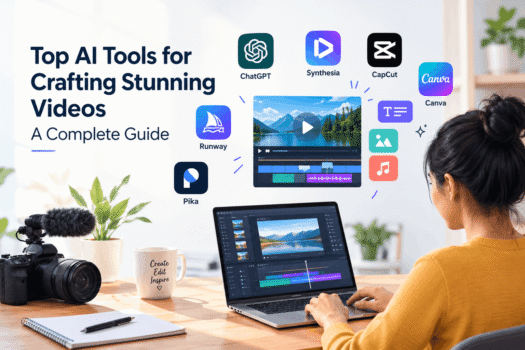
Creating professional-looking videos no longer requires expensive equipment, advanced editing skills, or hours of manual work. With the rise of AI video tools, creators, marketers, businesses, educators, and social media professionals can now generate and edit engaging videos more efficiently.
From generating videos from text to creating AI avatars, removing backgrounds, adding captions, improving audio, and editing clips automatically, artificial intelligence is changing the video creation process.
In this guide, we explore the top AI tools for crafting stunning videos, their main use cases, benefits, limitations, and how to choose the right tool for your needs.
What Are AI Video Tools?
AI video tools are software platforms that use artificial intelligence to help users create, edit, enhance, or transform video content.
Depending on the platform, you can use AI to:
- Generate videos from text prompts
- Turn images into videos
- Create AI avatars and presenters
- Automatically edit video clips
- Generate subtitles and captions
- Remove unwanted backgrounds
- Create voiceovers
- Generate scripts and storyboards
- Add music and sound effects
- Resize videos for different social platforms
- Improve video and audio quality
These capabilities make AI video creation accessible to beginners as well as professional creators.
Why Are AI Video Tools Becoming Popular?
Traditional video production can involve scripting, recording, editing, voiceover, animation, captions, and post-production. Each step can take significant time.
AI can automate many repetitive tasks and help creators move from an idea to a finished video much faster.
For example, a marketer can start with a simple idea such as:
“Create a 30-second promotional video for a local restaurant.”
An AI-powered workflow can help generate the script, visuals, voiceover, captions, and editing structure.
However, AI does not completely replace human creativity. The strongest results usually come from combining AI-assisted production with human strategy, storytelling, editing, and quality control.
Top AI Video Tools
1. Runway
Runway is an AI-powered creative platform designed for generating and manipulating visual content.
It can be useful for creators who want to experiment with AI-generated video, visual effects, image-to-video workflows, and creative storytelling.
Best for:
- AI-generated video
- Creative visual effects
- Experimental content
- Filmmakers and designers
Key advantage:
It provides creative AI capabilities for producing unique visual concepts.
2. Synthesia
Synthesia focuses on AI-generated presenter videos. Users can create videos featuring AI avatars without needing to record themselves on camera.
This makes it particularly useful for businesses and organisations.
Best for:
- Training videos
- Corporate communication
- Educational content
- Product demonstrations
- Internal presentations
Key advantage:
Businesses can create presenter-style videos without traditional filming.
3. Canva
Canva is widely used for graphic design, but it also provides AI-powered features that support video creation and editing.
Creators can combine templates, images, animations, text, audio, and AI-assisted features in one workflow.
Best for:
- Social media videos
- Marketing content
- Presentations
- Short-form videos
- Beginners
Key advantage:
Its simple interface makes video creation accessible to users without professional editing experience.
4. CapCut
CapCut is a popular video editing platform with a strong focus on short-form content and social media.
Its AI-powered features can assist with tasks such as captions, background removal, effects, and automated editing.
Best for:
- TikTok-style videos
- Instagram Reels
- YouTube Shorts
- Social media creators
Key advantage:
It combines traditional video editing with AI-assisted features in a creator-friendly workflow.
5. Pika
Pika is an AI video generation platform focused on creative video generation and transformation.
It can be useful when creators want to experiment with turning ideas or images into animated video concepts.
Best for:
- Creative experiments
- Short AI videos
- Image-to-video concepts
- Social media content
Key advantage:
It helps transform static concepts into dynamic visual content.
What Can You Create With AI Video Tools?
AI video platforms can be used across many industries and content formats.
Social Media Videos
Create short-form videos for platforms such as Instagram, YouTube, Facebook, and TikTok.
Examples include:
- Product tips
- Educational videos
- Promotional content
- Motivational videos
- Industry updates
- Short tutorials
YouTube Videos
AI can help with several parts of the YouTube production process, including:
- Topic research
- Script development
- Voiceovers
- Captions
- Video editing
- Thumbnail concepts
- Repurposing long videos into Shorts
Marketing Videos
Businesses can use AI video tools to create:
- Product demonstrations
- Service explainers
- Promotional videos
- Customer education content
- Brand awareness videos
- Advertisement concepts
Educational Videos
Teachers, trainers, and educators can create visual learning materials using AI-generated presenters, animations, voiceovers, and captions.
Product Videos
E-commerce businesses can turn product images and descriptions into engaging video content.
For example, a product video can combine:
Product image + benefits + animation + voiceover + captions + call to action.
Benefits of AI Video Tools
1. Save Time
AI can automate repetitive editing and production tasks, allowing creators to focus more on ideas and storytelling.
2. Reduce Production Complexity
You don’t always need advanced editing knowledge to create a polished video.
3. Create More Content
AI-assisted workflows make it easier to produce multiple variations of videos for different audiences and platforms.
4. Support Small Businesses
Small businesses can create marketing videos without maintaining a large production team.
5. Repurpose Existing Content
A blog post, podcast, webinar, or long-form video can be transformed into shorter video content.
6. Improve Accessibility
Automatic captions, translations, voiceovers, and AI presenters can make content easier to consume for different audiences.
Limitations of AI Video Tools
AI video creation is powerful, but it is not perfect.
Inconsistent Results
AI-generated visuals may sometimes contain unusual movements, incorrect details, or unrealistic elements.
Limited Creative Control
Some AI-generated outputs may not precisely match the creator’s original vision.
Quality Differences
Different platforms provide different levels of video quality, editing control, and generation capabilities.
Costs Can Increase
Free plans may have limitations such as watermarks, credits, export restrictions, or limited AI generations.
Human Review Is Still Important
AI-generated content should be reviewed before publishing. Creators need to check facts, visuals, audio, captions, branding, and overall quality.
How to Choose the Right AI Video Tool
The best AI video tool depends on your specific goal.
| Your Goal | Consider |
|---|---|
| Social media videos | CapCut, Canva |
| AI presenter videos | Synthesia |
| Creative AI video generation | Runway, Pika |
| Marketing videos | Canva, CapCut |
| Educational videos | Synthesia, Canva |
| Beginner-friendly editing | Canva, CapCut |
| Experimental visual content | Runway, Pika |
Instead of choosing a tool simply because it is popular, consider what you actually need to create.
Ask yourself:
- Do I need text-to-video generation?
- Do I need AI avatars?
- Do I need automatic editing?
- Do I need subtitles?
- Do I need voice generation?
- Do I need social media templates?
- How much editing control do I need?
- What is my monthly budget?
AI Video Tools vs Traditional Video Editing
Traditional video editing still provides greater manual control over many aspects of production.
AI tools, however, can dramatically speed up repetitive tasks.
The most effective approach is often a combination:
Human creativity + AI assistance + professional editing + quality control
AI can help generate the first version, but the creator remains responsible for the final story, message, branding, and quality.
A Simple AI Video Creation Workflow
You can build a simple workflow like this:
Step 1: Choose a topic
Start with a clear video idea.
Step 2: Create the script
Use AI to generate an initial script and refine it manually.
Step 3: Create visuals
Generate or select images, video clips, animations, or screen recordings.
Step 4: Add voiceover
Use your own voice or an AI-generated voice where appropriate.
Step 5: Edit the video
Combine clips, transitions, music, captions, and branding.
Step 6: Review
Check the video for factual accuracy, visual quality, pronunciation, captions, and brand consistency.
Step 7: Optimize
Create different versions for YouTube, Instagram, Facebook, LinkedIn, or other platforms.
Are AI Video Tools Worth Using?
For many creators and businesses, yes.
AI video tools can reduce production time, simplify editing, and make professional-looking content more accessible.
However, the tool itself does not guarantee a successful video.
A strong video still needs:
- A clear message
- Good storytelling
- Useful information
- Strong visuals
- Audience understanding
- Appropriate pacing
- Consistent branding
AI should be treated as a creative assistant rather than a complete replacement for human judgment.
Final Thoughts
The growth of AI video tools is making video creation faster, more accessible, and more flexible. Whether you are a YouTube creator, marketer, educator, entrepreneur, or small business owner, AI can help simplify different stages of video production.
Tools such as Runway, Synthesia, Canva, CapCut, and Pika offer different approaches to AI-assisted video creation.
The best tool depends on your goals, budget, technical skills, and the type of content you want to produce.
Start with one tool, learn its core features, and build a repeatable workflow. As your skills improve, you can combine multiple AI tools to create a more efficient video production system.