 Digital EyeN
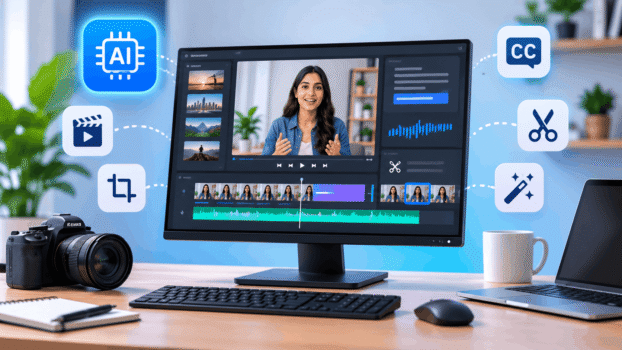
Video editing is becoming faster and easier with artificial intelligence. Tasks that once required hours of manual editing, such as cutting clips, adding subtitles, removing background noise, resizing videos, and creating social media content, can now be completed with the help of AI.
Today, AI video editing tools are helping content creators, digital marketers, businesses, YouTubers, and social media managers produce professional-looking videos with less effort.
Whether you want to create Instagram Reels, YouTube Shorts, promotional videos, product demonstrations, or educational content, choosing the right AI video editor can make a significant difference.
In this guide, we explore the best AI video editing tools, their features, advantages, limitations, use cases, and how to choose the right solution for your needs.
What Are AI Video Editing Tools?
AI video editing tools are software applications that use artificial intelligence and machine learning to automate or simplify video editing tasks.
They can analyse video footage, recognise speech, generate subtitles, identify important scenes, improve audio, and assist with editing.
Unlike traditional editing software, AI-powered editors can reduce repetitive manual work and help beginners create videos without advanced editing knowledge.
In simple terms: AI video editing tools use artificial intelligence to make video editing faster, easier, and more accessible.
How Do AI Video Editing Tools Work?
Most AI video editors combine machine learning, speech recognition, computer vision, and automation.
A typical AI video editing workflow looks like this:
- Upload your video footage.
- AI analyses the video and audio.
- The tool identifies scenes, speech, and important moments.
- AI suggests edits, captions, transitions, or improvements.
- The user reviews and modifies the result.
- Export the finished video for publishing.
For example, a digital marketer can upload a 10-minute educational video and use AI to generate subtitles, remove unnecessary pauses, identify important sections, and create shorter clips for social media.
Best AI Video Editing Tools to Explore
There is no single AI video editor that is best for everyone. Some tools focus on social media content, while others specialise in professional editing, podcast production, or converting long videos into short clips.
Here are some popular AI video editing tools worth exploring.
1. CapCut – Best for Social Media Video Editing
CapCut is a popular video editing platform for creating short-form videos and social media content.
It provides AI-assisted features such as automatic captions, background removal, smart editing, and video effects.
Key features:
- Automatic subtitle generation
- AI-powered editing assistance
- Background removal
- Video resizing and templates
- Audio and visual effects
- Social media-friendly editing
Best for: Instagram Reels, TikTok videos, YouTube Shorts, and beginner content creators.
Advantages:
- Beginner-friendly interface
- Useful editing templates
- Suitable for quick video production
- Mobile and desktop workflows
Limitations:
- Some features require a paid plan.
- Feature availability can vary by region and platform.
- Advanced projects may require more editing control.
2. Descript – Best for Text-Based Video Editing
Descript uses a text-based editing approach that allows users to edit spoken videos by editing their transcripts.
For example, deleting a sentence from the transcript can remove the corresponding section from the video.
Key features:
- Text-based video editing
- Automatic transcription
- Filler-word removal
- Audio enhancement
- Subtitle generation
- AI-assisted editing
Best for: Podcasts, interviews, tutorials, educational videos, and talking-head content.
Advantages:
- Saves time editing spoken content
- Simplifies transcription and captions
- Useful audio enhancement features
Limitations:
- Not designed to replace every professional timeline editor.
- AI usage and export limits depend on the subscription.
3. Adobe Premiere Pro – Best for Professional Video Editing
Adobe Premiere Pro combines traditional video editing capabilities with AI-powered features.
It is suitable for editors who need greater control over video timelines, colour correction, audio, and professional production.
Key features:
- AI-assisted video editing
- Text-based editing
- Speech enhancement
- Automatic transcription and captions
- Generative Extend
- Professional timeline editing
Best for: Professional video editors, filmmakers, marketing agencies, and production teams.
Advantages:
- Advanced editing controls
- Professional workflow
- Extensive creative capabilities
- Integration with Adobe’s creative ecosystem
Limitations:
- Requires time to learn.
- Subscription costs may be higher than beginner-focused alternatives.
- Some AI features have additional usage requirements.
4. Runway – Best for AI-Powered Video Creativity
Runway is an AI-powered creative platform known for video generation and editing capabilities.
It is useful for creators who want to experiment with AI-assisted visual transformations and creative video workflows.
Key features:
- AI video generation
- Video transformation
- Background and object editing
- Creative visual effects
- AI-powered image and video workflows
Best for: Creative professionals, advertisers, designers, and experimental video creators.
Advantages:
- Innovative AI video capabilities
- Useful for creative concepts
- Helps explore different visual styles
Limitations:
- Generative features may consume credits.
- Results may require refinement.
- It is not a complete replacement for traditional editing software.
5. OpusClip – Best for Turning Long Videos into Short Clips
OpusClip focuses on converting longer videos into shorter, social-media-ready clips.
It uses AI to identify interesting moments and create clips suitable for platforms such as YouTube Shorts, Instagram Reels, and TikTok.
Key features:
- AI clip generation
- Automatic captions
- Smart video reframing
- Highlight identification
- Short-form video repurposing
Best for: Podcasters, YouTubers, educators, and social media managers.
Advantages:
- Helps repurpose existing content
- Reduces manual clip selection
- Useful for producing multiple social media videos
Limitations:
- AI-selected highlights may need manual review.
- Not intended to replace a complete professional editing workflow.
6. VEED – Best for Browser-Based Video Editing
VEED is an online video editing platform that provides AI-assisted features without requiring a complex desktop editing setup.
Key features:
- Automatic subtitles
- AI video editing assistance
- Audio enhancement
- Video translation
- Background removal
- Online video editing
Best for: Marketing teams, social media creators, educators, and beginners.
Advantages:
- Browser-based editing
- Simple interface
- Useful subtitle and audio features
- Convenient for collaborative workflows
Limitations:
- Free plan exports may have restrictions.
- Advanced AI features depend on the selected plan.
7. Canva – Best for Marketing and Branded Video Content
Canva is a popular visual design platform that also provides video editing and AI-assisted creative features.
It is particularly useful for businesses that want to create branded social media videos without switching between multiple applications.
Key features:
- Video templates
- AI-assisted video creation
- Automatic captions
- Brand kits
- Video resizing
- Stock media and design elements
Best for: Digital marketers, small businesses, social media managers, and content creators.
Advantages:
- Easy-to-use interface
- Ready-made templates
- Combines graphic design and video editing
- Useful for maintaining brand consistency
Limitations:
- Some AI features require paid access or credits.
- Complex video production may require dedicated editing software.
Quick Comparison of AI Video Editing Tools
| Tool | Best For | Main Strength |
|---|---|---|
| CapCut | Social media videos | Quick editing and captions |
| Descript | Podcasts and tutorials | Text-based editing |
| Adobe Premiere Pro | Professional production | Advanced editing control |
| Runway | Creative AI videos | Generative editing |
| OpusClip | Short-form videos | Automatic clip creation |
| VEED | Online video editing | Browser-based workflow |
| Canva | Marketing content | Templates and branding |
Note: Features, free-plan limits, and subscription availability may change. Check each provider’s official website before purchasing.
Important AI Video Editing Features to Look For
Before selecting an AI video editor, understand which features can actually improve your workflow.
1. Automatic Captions and Subtitles
AI can recognise spoken words and convert them into subtitles.
This is particularly useful for social media videos because many users watch videos without sound.
2. AI Video Clipping
Some tools automatically identify important sections of long videos and turn them into short clips.
This helps creators repurpose webinars, interviews, podcasts, and tutorials.
3. Background Removal
AI can detect the subject in a video and separate it from the background.
This is useful for promotional videos, product demonstrations, and creative content.
4. Audio Enhancement
AI-powered audio tools can reduce background noise, improve voice clarity, and balance audio levels.
5. Automatic Video Resizing
Different platforms require different video dimensions.
For example:
- Instagram Reels: 9:16
- YouTube Shorts: 9:16
- YouTube standard videos: 16:9
- Instagram square posts: 1:1
AI-assisted resizing helps adapt content to different platforms.
6. AI Scene Detection
AI can identify scene changes and help organise video footage into manageable sections.
7. Text-to-Video and Generative Features
Some platforms allow users to create or modify video footage using text prompts.
Remember that AI video generation and AI video editing are related but different categories. Editing tools work with existing footage, while generation tools can create new footage from text or images.
How Businesses Can Use AI Video Editing Tools
AI video editing is not limited to entertainment or personal content creation. Businesses can use these tools to improve their marketing and communication activities.
1. Social Media Marketing
Create Instagram Reels, Facebook videos, LinkedIn content, and YouTube Shorts.
2. Product Promotion
Create product demonstrations, promotional videos, and product highlights.
3. Educational Content
Convert tutorials, training sessions, and educational presentations into engaging videos.
4. YouTube Marketing
Repurpose long videos into shorter clips and improve subtitles and audio quality.
5. Advertising Campaigns
Produce multiple video variations for different audiences and marketing campaigns.
6. Brand Awareness
Create consistent visual content that communicates a business’s identity and services.
Benefits of Using AI Video Editing Software
- Time savings: Automate repetitive editing activities.
- Easy to learn: Many tools are suitable for beginners.
- Content repurposing: Convert long videos into multiple short clips.
- Better accessibility: Add captions and subtitles.
- Improved productivity: Manage more video projects with less manual work.
- Creative flexibility: Experiment with visual effects and AI-assisted editing.
Limitations of AI Video Editing Tools
Although AI video editors offer many advantages, they also have limitations.
1. AI Editing Errors
Automatic cuts, captions, and scene detection may not always be accurate.
2. Limited Creative Control
Some automated editing decisions may not match your creative vision.
3. Subscription and Credit Limits
Advanced features, high-resolution exports, and AI generation may require paid plans or credits.
4. Data Privacy
Uploading business or customer footage to online platforms may involve privacy risks. Review the provider’s data handling and retention policies before uploading sensitive content.
5. Human Editing Is Still Necessary
AI can automate several tasks, but storytelling, pacing, brand consistency, and final quality checks still require human judgement.
How to Choose the Best AI Video Editing Tool
Choosing the right AI video editing software depends on your content requirements, experience, and budget.
Consider these six factors before purchasing:
1. Identify Your Video Content
First, understand what you want to create.
- Reels and Shorts: CapCut
- Podcasts and interviews: Descript
- Professional video projects: Adobe Premiere Pro
- AI-powered visual effects: Runway
- Long videos into short clips: OpusClip
- Marketing videos: Canva
- Online editing: VEED
2. Check the Free Plan
Test the free version before subscribing. Check export quality, watermark restrictions, AI credits, and monthly usage limits.
3. Compare Editing Features
Choose a tool based on the features you actually need, such as automatic captions, audio enhancement, background removal, or AI clipping.
4. Consider Ease of Use
Beginners may prefer simple browser-based or mobile applications, while professional editors may need advanced timeline controls.
5. Check Export Quality
Look for suitable resolution, aspect ratios, file formats, and watermark-free export options.
6. Evaluate Pricing and Scalability
Consider whether the subscription makes sense for your monthly video production requirements.
AI Video Editing vs Traditional Video Editing
| Comparison | AI Video Editing | Traditional Editing |
|---|---|---|
| Editing speed | Faster for automated tasks | More manual work |
| Skill requirements | Often beginner-friendly | Requires experience |
| Automation | High | Limited |
| Creative control | Depends on the tool | Greater manual control |
| Captions | Can be automated | Often manually edited |
| Complex production | Depends on AI capabilities | More flexible |
| Best use | Repetitive and routine tasks | Detailed creative production |
The best approach for many creators is to combine both methods: use AI for repetitive tasks and manual editing for creative decisions.
Frequently Asked Questions About AI Video Editing Tools
What are the best AI video editing tools?
Some popular AI video editing tools include CapCut, Descript, Adobe Premiere Pro, Runway, OpusClip, VEED, and Canva. The best choice depends on your video editing requirements.
Which AI video editor is best for beginners?
CapCut and Canva are good starting points for beginners because they offer accessible interfaces and features for creating social media content.
Are there free AI video editing tools?
Yes. Several platforms offer free plans or free versions, including CapCut, Canva, Descript, and DaVinci Resolve. However, AI credits, export quality, watermarks, and usage limits may apply.
Can AI automatically edit videos?
Yes. AI tools can automate tasks such as caption generation, removing filler words, identifying highlights, resizing videos, and improving audio. The final result should still be reviewed.
Which AI tool is best for Instagram Reels?
CapCut and Canva are useful options for Instagram Reels. OpusClip is another option when you want to convert longer videos into shorter social media clips.
Can AI convert long videos into short videos?
Yes. Tools such as OpusClip can analyse long videos, identify interesting moments, generate shorter clips, and add captions.
Is AI video editing better than traditional video editing?
AI video editing is faster for repetitive tasks, while traditional editing offers greater manual control. Combining both approaches often provides the best results.
Can businesses use AI video editing tools for marketing?
Yes. Businesses can use AI video editing for promotional videos, product demonstrations, social media posts, advertisements, educational content, and brand awareness campaigns.
Is AI Video Editing Worth It?
AI video editing tools are changing how creators and businesses produce video content.
From automatic captions and audio enhancement to intelligent clipping and AI-assisted visual effects, these tools can simplify many time-consuming editing tasks.
However, choosing the right tool is more important than choosing the tool with the most AI features.
Start with your content requirements, test a few free plans, compare export quality, and select a platform that supports your workflow.
For digital marketers and businesses, the real opportunity is to combine AI video editing with a consistent content strategy.
Create smarter. Edit faster. Publish better. Grow your brand.
Explore DigitalEyeN for digital marketing insights, AI tools, and resources that help businesses improve their online presence.